Review compatibility
NETEX checks the nominated camera system, remote access method and usable image quality.
FROM COMPATIBILITY TO COVERAGE
Your cameras are only one part of the picture. Access, lighting, schedules, responsibilities and escalation instructions all shape a workable monitoring arrangement.
Human observation. Agreed procedures. Clear reporting.

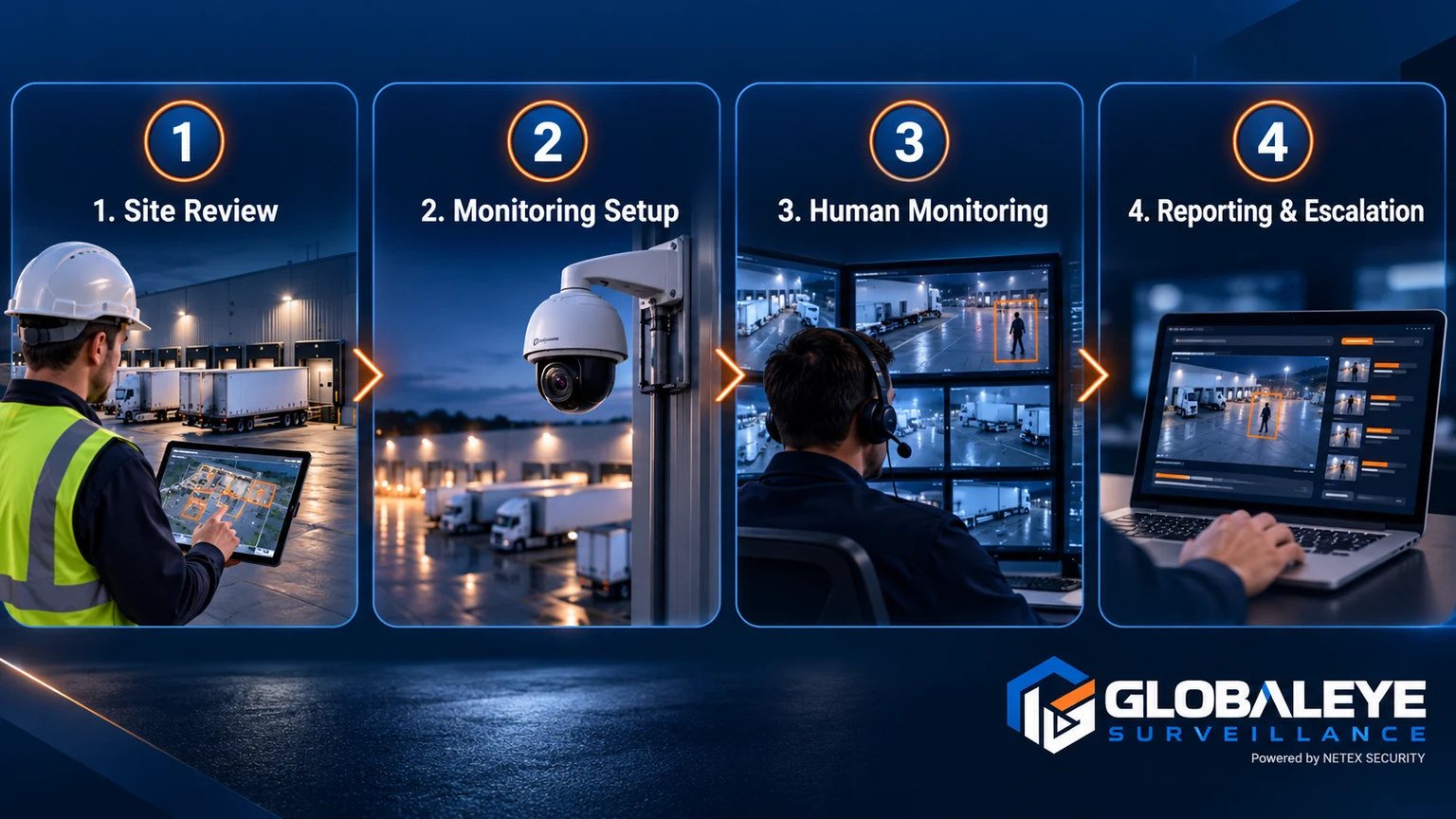
FOUR CONNECTED STEPS
NETEX checks the nominated camera system, remote access method and usable image quality.
Set the selected views, coverage hours, activity thresholds and escalation contacts in writing.
Provide approved access and confirm the operating instructions before monitoring begins.
Document observed activity and follow the agreed contact sequence, with follow-up status recorded.
BEFORE THE FIRST SHIFT
Identify priority views by camera name, not just by location. Record the site time zone, normal opening hours, permitted activity and the circumstances that require a call.
Assign a primary and backup contact. Decide what the operator should do when neither answers. Record any camera blind spots or restricted views before the service starts.
KEEP THE PLAN CURRENT
Update NETEX when camera layouts, operating hours, contractors, contacts or site access rules change. A camera feed alone cannot explain a new operating procedure.
YOUR NEXT STEP
Start with your cameras, your operating hours and the areas that matter most.
Your enquiry goes directly to NETEX Security.